https://docs.google.com/
Thursday, May 9, 2019
Artwork Tags
use this link to create your tags:
https://docs.google.com/
https://docs.google.com/

Final Work For Seniors
Seniors make sure that you are all caught up. All grades are now updated and entered in SIS.
Also make sure you have completed your Final Portfolio
Everybody else should use this time productively.
Also make sure you have completed your Final Portfolio
Everybody else should use this time productively.
Thursday, May 2, 2019
Still Life Photography
Today we will set up and photograph a Still Life photograph using various objects and lighting.
In a Still Life photograph you have complete control over the composition, lighting, and exposure settings of the picture.
It does not have to be composed of a lot of things. A single object that is dramatically lighted is sometimes the best way to go.
You need to take the foreground and background into consideration as well. Choose a dark backdrop or textures in your picture as well.
You can focus on close ups and details....

or use Shallow Depth of Field

or capture the entire object with dramatic shadows....

or set up an interesting composition...


Use shadows and repetition

or use even lighting
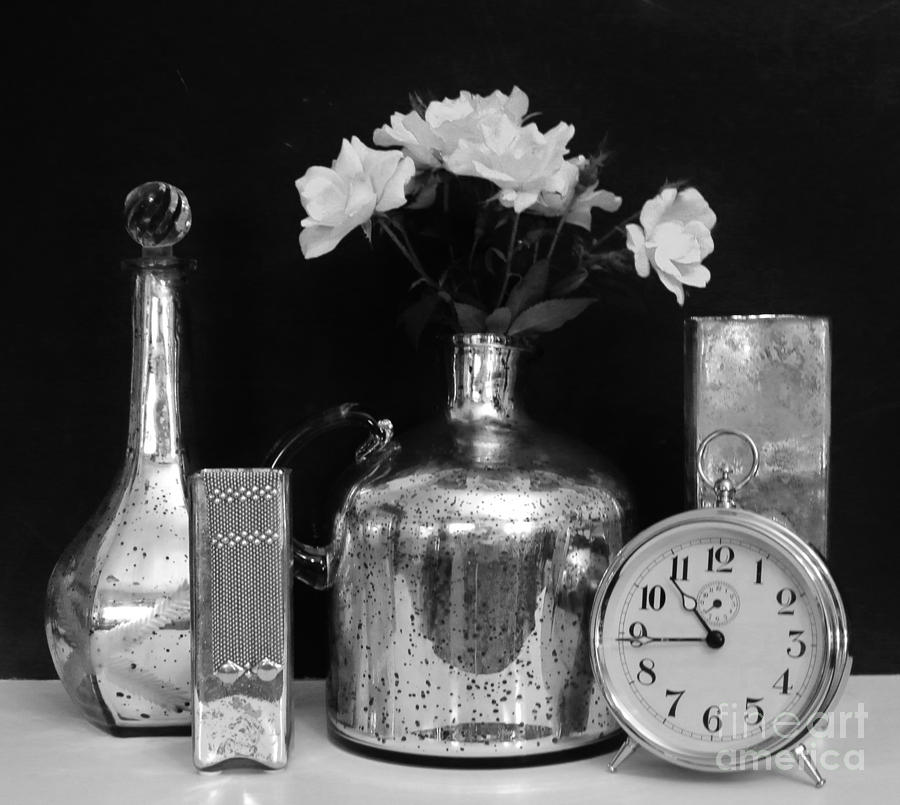
In a Still Life photograph you have complete control over the composition, lighting, and exposure settings of the picture.
It does not have to be composed of a lot of things. A single object that is dramatically lighted is sometimes the best way to go.
You need to take the foreground and background into consideration as well. Choose a dark backdrop or textures in your picture as well.
You can focus on close ups and details....
or use Shallow Depth of Field
or capture the entire object with dramatic shadows....
or set up an interesting composition...
Use shadows and repetition
or use even lighting
Tuesday, April 30, 2019
Begin Final Portfolio
Today we will begin work on our Final Portfolio. We will also be working on a few more projects and we can add additional Photos when they are completed.
Here is a good example of the project
http://katelynbphoto2.blogspot.com/
Make sure that all of the pictures have been DESATURATED - Converted to Black and White.
In the first section you will post your 15 strongest images from the semester and provide a brief critique of each including 1 very strong element and 1 element you could improve upon. NOTE- Pick something from the Critique Guide.
In the second part you will provide an assessment of your portfolio and your work ethic.
Overall Portfolio-Semester work
Please answer the following questions about your overall work this semester using the 1-4 scale:
1=Not at all, 2=Somewhat, 3=Mostly, 4=Absolutely
I completed my assignments on time 1 2 3 4
I fulfilled all assignments 1 2 3 4
Made good use of class time 1 2 3 4
Used a creative approach 1 2 3 4
My pictures unique and original 1 2 3 4
My craftsmanship is excellent 1 2 3 4
My images are sharp and focused 1 2 3 4
My images are well composed 1 2 3 4
My images have good contrast and exposure 1 2 3 4
Here is a good example of the project
http://katelynbphoto2.blogspot.com/
Make sure that all of the pictures have been DESATURATED - Converted to Black and White.
In the first section you will post your 15 strongest images from the semester and provide a brief critique of each including 1 very strong element and 1 element you could improve upon. NOTE- Pick something from the Critique Guide.
In the second part you will provide an assessment of your portfolio and your work ethic.
Overall Portfolio-Semester work
Please answer the following questions about your overall work this semester using the 1-4 scale:
1=Not at all, 2=Somewhat, 3=Mostly, 4=Absolutely
I completed my assignments on time 1 2 3 4
I fulfilled all assignments 1 2 3 4
Made good use of class time 1 2 3 4
Used a creative approach 1 2 3 4
My pictures unique and original 1 2 3 4
My craftsmanship is excellent 1 2 3 4
My images are sharp and focused 1 2 3 4
My images are well composed 1 2 3 4
My images have good contrast and exposure 1 2 3 4
My photography sets a mood 1 2 3 4
Friday, April 26, 2019
Upload day - Projects and Progress
Today we will check our progress and upload all recent work including:
Independent Projects
Photoshop text effects
Shadows
Flower Compositions
Double Exposure
Independent Projects
Photoshop text effects
Shadows
Flower Compositions
Double Exposure
Wednesday, April 24, 2019
Create a Double Exposure in Photoshop
Take a photograph of yourself or a classmate or a friend a create a Double Exposure in Photoshop. You can use a photo from the web as the inner part of the picture.
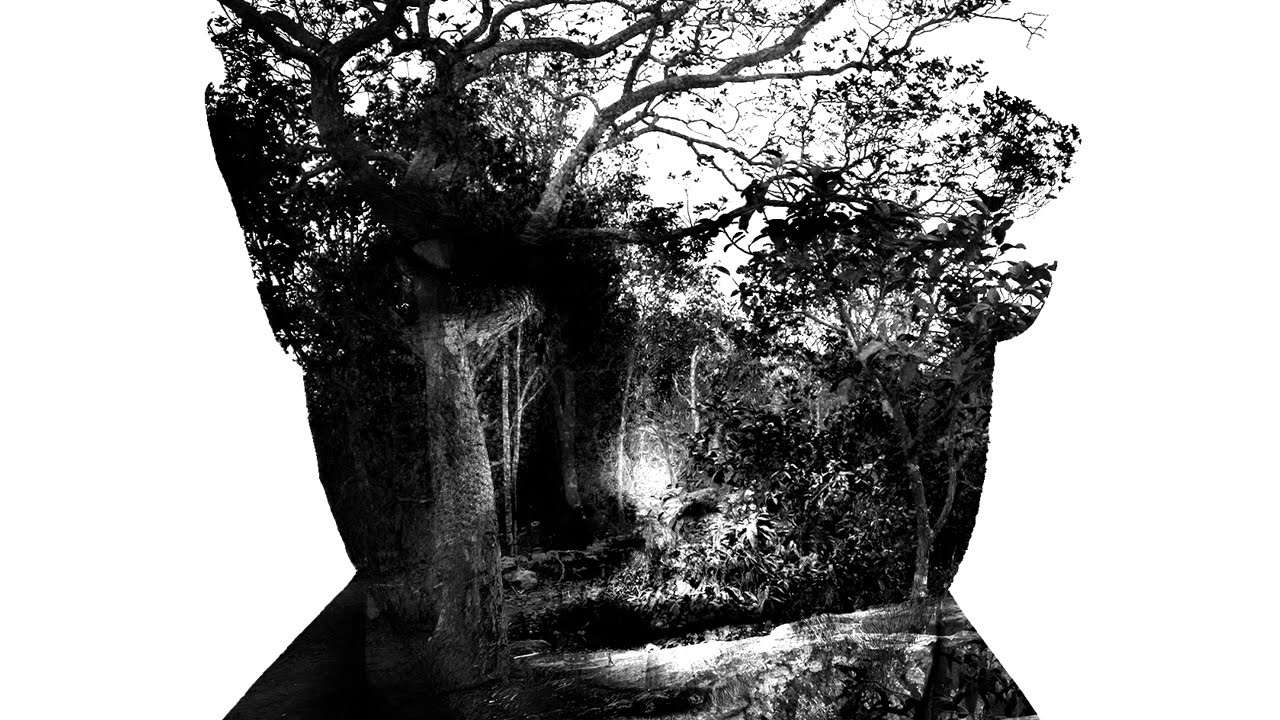
Here is a tutorial to follow, or you can find one on the web. There are slightly different ways to create this effect, but the end result is the same.
https://www.elcsd.org/cms/lib/NY01000534/Centricity/Domain/84/Double%20Exposure.pdf
Here is a tutorial to follow, or you can find one on the web. There are slightly different ways to create this effect, but the end result is the same.
https://www.elcsd.org/cms/lib/NY01000534/Centricity/Domain/84/Double%20Exposure.pdf
Thursday, March 21, 2019
Film and Independent Project Day - Blog Post due
We will continue our rotation between students developing film and the rest of the class working on individual projects.
All students working on independent projects must post their progress today.
All students working on independent projects must post their progress today.
Wednesday, March 6, 2019
Film and Independent Project Work Day
Today we will start with film with the first group while the rest of the class works on the independent project.
Monday, March 4, 2019
Photoshop Text Effects
Today we'll have some fun with Text. First, I'll show you how to add images in text, it will end up looking something like this:

Save both pictures as jpeg files and post them to your blog titled "Photoshop Text Effects"
You can find the tutorial at this link:
Next, pick a text effect from the link below and follow the instructions to create one of your own.
Photoshop Today
We have been having technical difficulties opening Photoshop.
We have changed over to a new system of logging in to Photoshop. I would like everybody to be able to log in and successfully work in the program.
I will describe the correct process to open Photoshop and then we'll work on our projects for the rest of class.
We have changed over to a new system of logging in to Photoshop. I would like everybody to be able to log in and successfully work in the program.
I will describe the correct process to open Photoshop and then we'll work on our projects for the rest of class.
Thursday, February 21, 2019
Independent Project Proposal
Today you will propose an independent project or series of projects for yourself.
The project must:
1.State the topic or title of your project
2.State the research you will conduct
3.Write a detailed description of how you envision the final project.
4.List the tools, techniques, and steps you will use to accomplish your goals for the project
The project must:
- Use the entire class period for three classes
- Use specific photographic and Photoshop tools and techniques
- You must relate the project to an artist or art movement in some way
1.State the topic or title of your project
2.State the research you will conduct
3.Write a detailed description of how you envision the final project.
4.List the tools, techniques, and steps you will use to accomplish your goals for the project
Thursday, February 14, 2019
Work Day - Surrealist Composition
Today we will continue to create our Surrealist Composition.
Keep the following in mind as you work:

Keep the following in mind as you work:
- Do the Perspective in all of your images match up?
- Are all of your images in sharp focus?
- Are you making precise selections in Photoshop?
- Are you comfortable working with layers in Photoshop?
- How are you handling color choices? Black and White or Color?
- Do the color intensity, brightness, contrast and hue of each of your images match?
Tuesday, February 12, 2019
Create a Surreal Image in Photoshop Using Exaggerated Scale
What is Surrealism? Magical Realism?
For our purposes Surreal or magical realism describes an image where the elements are a natural part in an otherwise mundane, realistic environment. Although it is most commonly used as a literary genre, magic realism also applies to film and the visual arts.
Here is a link to a TED talk by Erik Johansson. Erik creates realistic photos of impossible situations.
Today we will begin creating a surreal image using Photoshop.
For our purposes Surreal or magical realism describes an image where the elements are a natural part in an otherwise mundane, realistic environment. Although it is most commonly used as a literary genre, magic realism also applies to film and the visual arts.
Here is a link to a TED talk by Erik Johansson. Erik creates realistic photos of impossible situations.
Today we will begin creating a surreal image using Photoshop.
Using primarily images from around school plus a couple of others, (either from the web or field trip photos you have taken), create a magical realist composition using exaggerated scale. You may select, crop, and place the elements in the composition in any way that presents them in an incongruous, unusual or “super normal” manner.


Friday, February 8, 2019
Cubist Photography Project - Day 2
We will continue working on and complete our 2 Cubist Photographs today.
Make sure you have answered the questions about Cubism from the last blog post.
Then complete and upload:
1. Portrait
2. Landscape or object
Make sure you have answered the questions about Cubism from the last blog post.
Then complete and upload:
1. Portrait
2. Landscape or object
Wednesday, February 6, 2019
Cubist Photography Project
Today we will begin working on a Cubist style photography.
You will show a subject from multiple planes and points of view in a single cubist style image
First - Conduct research - What are the primary characteristics of cubism? How did artist David Hockney combine Photography and Cubism?
https://www.theartstory.org/movement-cubism.htm
http://thedelightsofseeing.blogspot.com/2011/03/cubism-joiners-and-multiple-viewpoint.html
Second - Find Examples of Cubist portraiture, come up with ideas for creating your portrait. Add them to your blog post.
Third - Take pictures of your subject from a variety of perspectives. Also take pictures to make an interesting background.
Fourth - Create an 11x11 inch (or similar) 300 dpi file in photoshop
Fifth - Use Selection Tools, Transform Tools, Layers, and Filters to develop your portrait.
Sixth - Continue to refine your artwork, we will discuss your progress as you work.
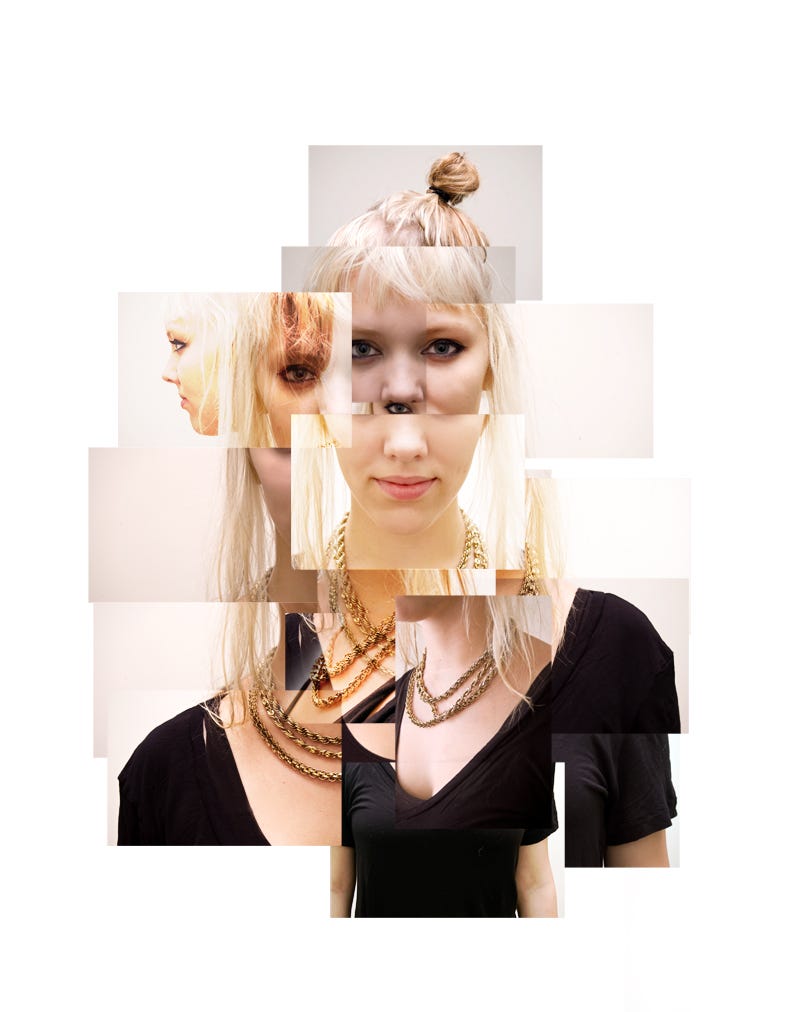


You will show a subject from multiple planes and points of view in a single cubist style image
First - Conduct research - What are the primary characteristics of cubism? How did artist David Hockney combine Photography and Cubism?
https://www.theartstory.org/movement-cubism.htm
http://thedelightsofseeing.blogspot.com/2011/03/cubism-joiners-and-multiple-viewpoint.html
Second - Find Examples of Cubist portraiture, come up with ideas for creating your portrait. Add them to your blog post.
Third - Take pictures of your subject from a variety of perspectives. Also take pictures to make an interesting background.
Fourth - Create an 11x11 inch (or similar) 300 dpi file in photoshop
Fifth - Use Selection Tools, Transform Tools, Layers, and Filters to develop your portrait.
Sixth - Continue to refine your artwork, we will discuss your progress as you work.
Monday, February 4, 2019
Clouds, Contrast, and Saturation
Today we will go out and take pictures of clouds. next we will edit them to greatly increase the contrast using the Levels adjustment layer.
We will fist increase the contrast in a De-saturated image, and do the same for an image that we increased the saturation.


We will fist increase the contrast in a De-saturated image, and do the same for an image that we increased the saturation.
Thursday, January 31, 2019
Write 2 Critiques from the Antique Store Photographs
Today you will write TWO thorough critiques using the Critique Guide.
Copy and Paste the questions from the Critique Guide and change your answers to a different text color.
1. the first will be a critique of one of your pictures from field trip. Include a copy of the picture with your critique.
2. The second will be a critique of one of your classmate's pictures from the field trip. Include the picture and the name of the classmate.
Here is a good example of a written critique:
http://jessicamphoto13afall16.blogspot.com/2016/09/personal-critique-of-ozark-square.html
Copy and Paste the questions from the Critique Guide and change your answers to a different text color.
1. the first will be a critique of one of your pictures from field trip. Include a copy of the picture with your critique.
2. The second will be a critique of one of your classmate's pictures from the field trip. Include the picture and the name of the classmate.
Here is a good example of a written critique:
http://jessicamphoto13afall16.blogspot.com/2016/09/personal-critique-of-ozark-square.html
Monday, January 28, 2019
Antique Store Field Trip - Edit and Upload Your Work
Edit and Post the Antique Store from the field trip.
Crop, De-saturate and adjust Levels to get the best possible image.
All photos must be in Black and White. You may upload color pictures, but there must also be a Black and White version.
Your uploaded pictures should include :


Crop, De-saturate and adjust Levels to get the best possible image.
All photos must be in Black and White. You may upload color pictures, but there must also be a Black and White version.
Your uploaded pictures should include :
- 5 Still Life including at least 1 with a definite Focal Point and at least 1 that includes Repetition of the Elements
- 10 Details - either Close ups or Textures
- 10-15 additional pictures of your choice from the field trip
You are required to upload 20-25 edited photographs
Tuesday, January 22, 2019
Antique Store Field Trip - Requirements
We will go out and photograph at the antiques stores today. Take at least 50 pictures!
Be creative, but include the following
Be creative, but include the following
- 5 Still Life including at least 1 with a definite Focal Point and at least 1 that includes Repetition of the Elements
- 10 Details - either Close ups or Textures
- 10-15 additional pictures of your choice from the field trip
Work Day
Today we will have the opportunity to edit and upload our photos from the last few classes. You can also use this time to catch up on any work that you may have not completed.
Please use your time in a productive and creative manner.
Next class we will take a field trip to the antique store.
Please use your time in a productive and creative manner.
Next class we will take a field trip to the antique store.
Subscribe to:
Posts (Atom)
-
Today we will check our progress and upload all recent work including: Independent Projects Photoshop text effects Shadows Flower Compo...
-
Seniors make sure that you are all caught up. All grades are now updated and entered in SIS. Also make sure you have completed your Final ...
-
Today we will continue to create our Surrealist Composition. Keep the following in mind as you work: Do the Perspective in all of your...
